Migrating a website from Podpage to Astro
A friend was about to lose access to his podcast website. I helped him to migrate it to Astro.
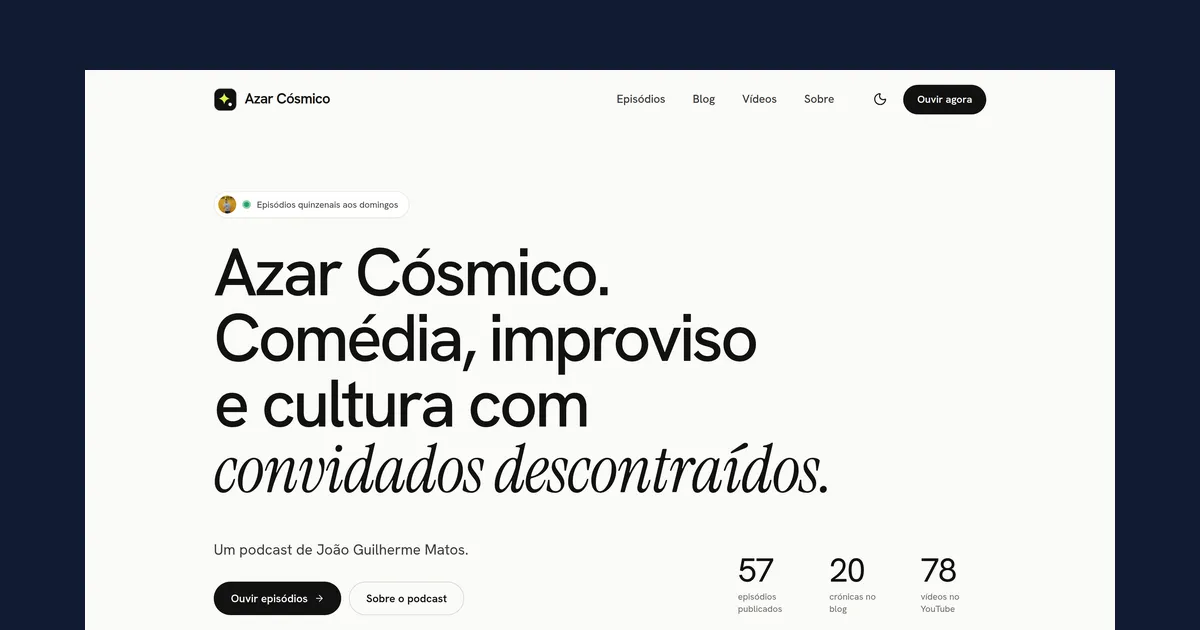
A very good friend of mine, João Guilherme Matos, has a podcast website: Azar Cósmico. He initially built it with Podpage — a service that let him create and manage his own website. For someone like him, who is not a web developer, it was a good solution: he had full control of the site without having to worry about the technical details.
Eventually the podcast ended, and he decided the annual subscription was no longer worth it. The catch is that Podpage doesn’t let you export your content. If you stop paying, you lose the website and everything on it. So I helped him migrate it to a new one.
Getting the content of the old website
The first step was to get the content of the old website. Since exporting it wasn’t possible, I used
the wget command line tool to download all the files from the website.
GNU Wget is a free software package for retrieving files using HTTP, HTTPS, FTP and FTPS, the most widely used Internet protocols. It is a non-interactive commandline tool, so it may easily be called from scripts, cron jobs, terminals without X-Windows support, etc.
Downloading the site
With the help of Large Language Models (LLMs), I put together the following command to retrieve all the files from the website:
Bash
wget --mirror \
  --convert-links \
  --adjust-extension \
  --page-requisites \
  --no-parent \
  --user-agent="Mozilla/5.0" \
  https://www.azarcosmico.com/
Replace https://www.azarcosmico.com/1 with the URL of the site you want to download and
you can reuse this command as is. That said, read the site’s Terms of Service first to make sure you are
not violating any rules.
Choosing a new platform
After retrieving the content, the next step was to choose a platform for the new site. The podcast had ended and the site was becoming an archive, so there was no need for a complex solution. A static site generator seemed like the right fit, and I chose Astro because it is a modern framework with a lot of free themes.
Finding the perfect theme
One theme that caught my attention was the Maria theme by Andrei Alba from Xoco Themes. It is simple and elegant, and it adapts well to a podcast site, so I used it as the base for the new website. It is also MIT-licensed, which means it is free to use and modify.
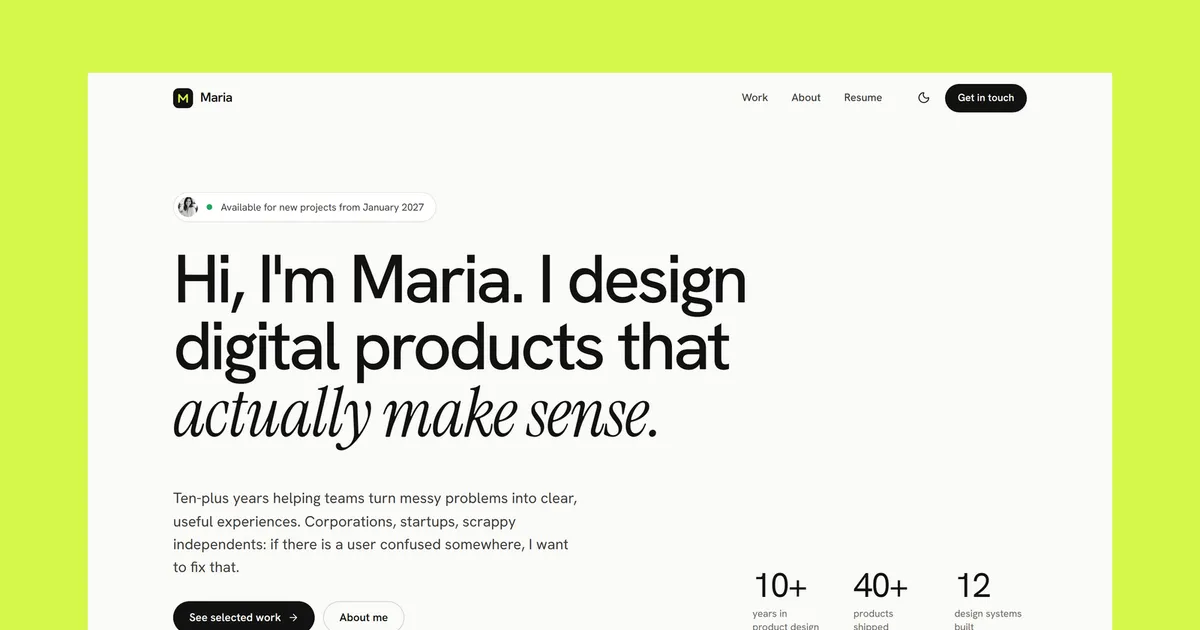
The screenshot above is the theme’s own demo, which happens to be a portfolio, but the layout works just as well for a podcast.
Migrating the content
The next step was to migrate the content from the old website to the new one. To me, this was the most interesting part of the project: it was the first time I used an LLM to migrate a website from top to bottom, with only a handful of manual edits.
I placed the exported old site and the cloned theme in the same folder, then used Meta’s Muse Spark 1.3 Contributor2 model to generate the code for the new website.
With a surprisingly short prompt, the model generated almost the entire site. I still had to make a few adjustments, but the result was ready to go much faster than doing it by hand.
How long it took
The whole migration took about a day. Generating the code took minutes, and moving the content over took about twenty. Most of the remaining time went into choosing a theme, polishing the code, and adding a few extra features.
| Task | Time |
|---|---|
| Finding a theme | 2 hours |
| Retrieving the content | 30 minutes |
| Migrating the content | 20 minutes |
| Adjustments to the code | 2 hours |
| Adding other features | +10 hours |
| Total | 1 day |
What the new website lacks
The new website can’t upload new episodes. It is static, which means it doesn’t have a backend. But for a podcast that has ended, this is not a problem. A CMS (Content Management System) could be added later so new episodes can be published, but for now the site does exactly what the podcast needs.
Aftermath
The fact that the old website was very well organized and rich in content made the migration process smoother. The new website is now live and it is a great improvement over the old one. The source code is available on GitHub, so anyone can inspect it and learn from it.